
Two Different Paths to Building a Website (SaaS vs Self-Hosted)

People often compare Wix and WordPress as if one must be the best platform for everyone. In reality, they are two different paths to the same goal: launching a website. The better question is not “Which is better?” but “Which path matches my project, my budget, and my willingness to manage technical work?”
Wix is built as a service. You subscribe and get a platform that includes hosting, updates, and a visual editor. WordPress (self-hosted) is software you run on your own hosting. The software is free, but you choose the hosting, add a theme, install plugins, and maintain the site.
That difference shapes everything else. Wix focuses on convenience and consistency. WordPress focuses on flexibility and ownership. Both can produce great websites, but they feel very different to run day to day.
SaaS vs Self-Hosted in Plain English
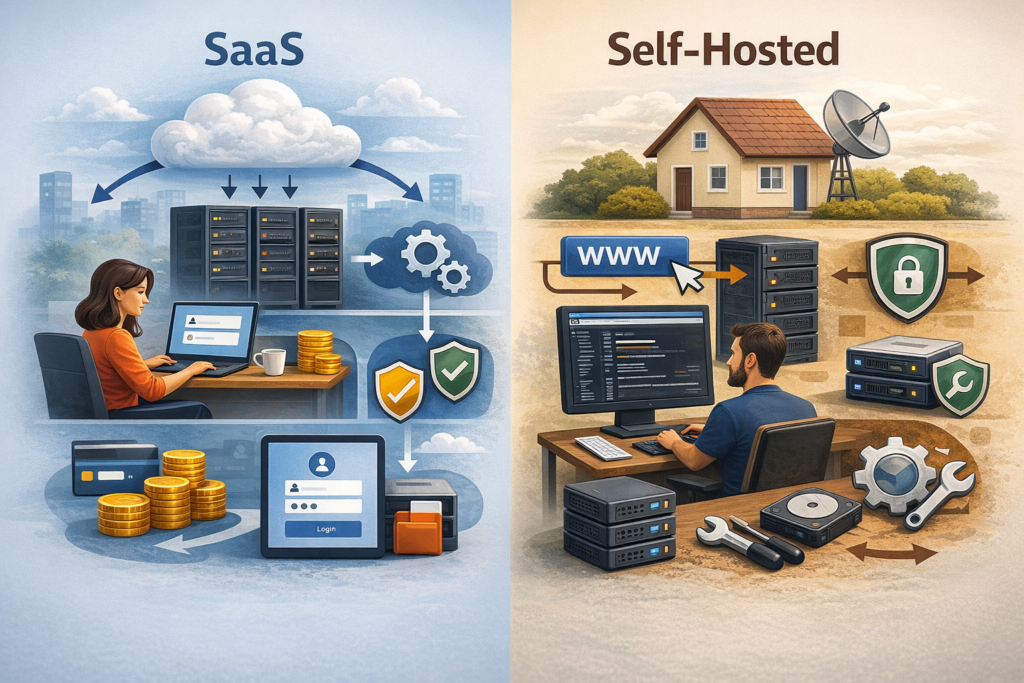
SaaS means you use software that is hosted and managed by a provider. You create an account, pay a subscription, and log in. The provider runs the servers, pushes updates, and takes care of a lot of the “behind the scenes” work. That is the basic SaaS idea.
Self-hosted means you run the website software on hosting you choose. The software might be free, but you still need a place to install it. You pick a host, connect your domain, and you are responsible for updates, backups, and security, or you pay someone to handle it. This is why self-hosted can feel more powerful, but also more demanding.
Wix is the SaaS path. WordPress (when people say “WordPress.org”) is the self-hosted path. One thing that often confuses beginners is that WordPress also has a hosted version, WordPress.com, which is closer to the SaaS model. If you ever feel lost about this, this explainer makes the difference very clear.
More info: https://wordpress.com/support/com-vs-org/
In simple terms, SaaS is “pay for a platform that works out of the box.” Self-hosted is “build your own setup, with more control and more responsibility.”
Wix: The All-in-One Website Builder
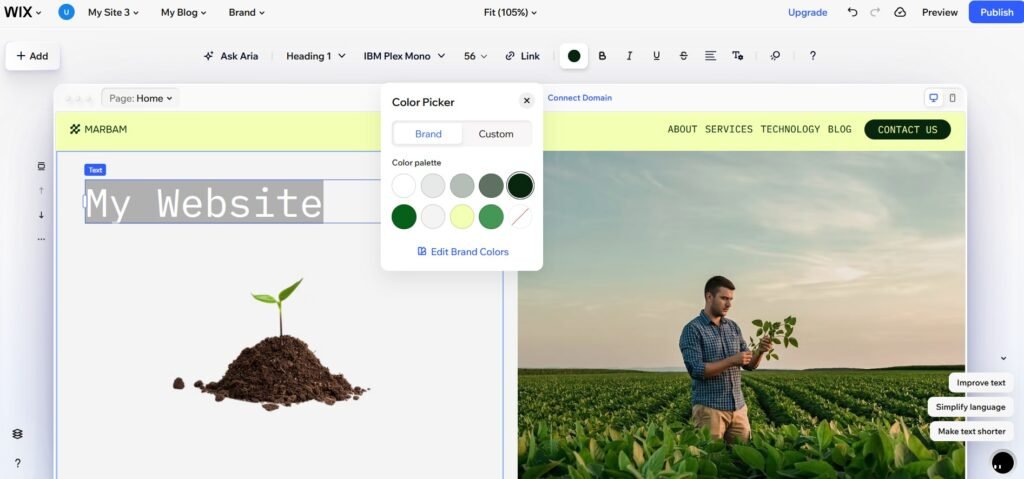
Wix is designed for people who want to build and run a website without dealing with hosting and technical maintenance. You choose a template, edit pages in a visual editor, connect a domain, and publish. Hosting is included, and Wix manages the platform updates and core security tasks in the background.
For many common website needs, Wix feels complete. You can create service pages, portfolios, blogs, and landing pages with built-in tools. If you need extra features, Wix offers an app marketplace, which lets you add things like booking, forms, marketing integrations, and e-commerce add-ons without installing software on your own server.
The biggest advantage is the “single system” experience. Because Wix controls the environment, many parts are designed to work together. You spend less time choosing tools and troubleshooting conflicts. The trade-off is that you are building inside Wix’s ecosystem. You can customize a lot, but not everything, and the platform decides what is possible and what is not.
For a business owner who wants a site that is easy to manage and stays stable with minimal effort, that trade-off can be worth it. Especially when the goal is to focus on content and customers, not maintenance.
WordPress: The Self-Hosted CMS Toolbox
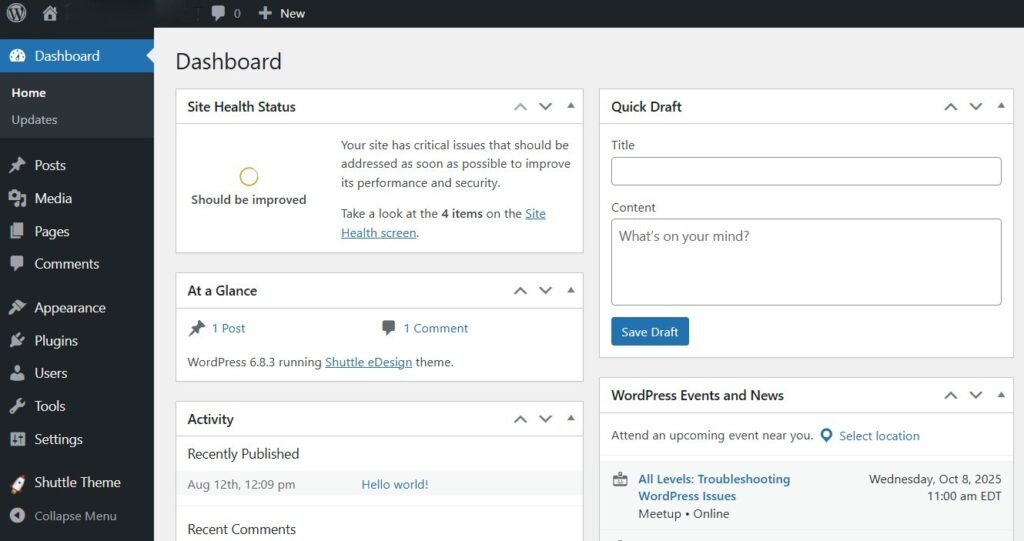
WordPress (self-hosted) is a different kind of product. It is not a finished platform you log into. It is software you install on hosting you choose. That means you can shape the site more freely, but you also have to assemble the setup.
A typical WordPress site includes the WordPress core, a theme for design, and plugins for extra features. This is where WordPress becomes powerful. You can build anything from a simple blog to a complex site with custom content types, advanced SEO workflows, multilingual support, memberships, or a large online store. The ecosystem is huge, and there are many ways to solve the same problem.
But the toolbox approach comes with responsibility. You need to think about hosting quality, backups, updates, and security. You also need to be careful about plugin choices. Plugins can conflict, become outdated, or add performance overhead. WordPress can be very stable when it is maintained properly, but it is not “set and forget” unless you use managed hosting or pay for ongoing support.
For many projects, the flexibility is worth it. WordPress is often chosen when the site is expected to grow, when the business needs deeper customization, or when long-term ownership and portability matter.
The Real Trade-Offs: Speed, Control, and Long-Term Flexibility

The clearest difference shows up on day one. Wix is usually faster to launch because the system is ready. You are not choosing hosting, installing software, or building a stack of plugins. You are mostly making content and design decisions. That speed is often the reason people pick Wix in the first place.
WordPress can also be launched quickly, but the early choices matter more. Hosting, theme, and plugin selection can shape the site for years. If you choose well, you get a flexible foundation that can grow with your business. If you choose poorly, the site can become hard to maintain or slow.
Control works the other way around. Wix gives you enough control for many typical websites, but it keeps some technical areas behind the curtain. WordPress gives you deeper control because you can change themes, swap plugins, tune performance, and even modify code. That is great when you need it, but it also means more chances to make mistakes.
Long-term flexibility is where the paths really separate. If you expect a site to stay simple, Wix can be a comfortable home. If you expect heavy content production, complex integrations, or custom workflows, WordPress often has more room to expand. Portability is part of this too. With WordPress, you usually have more direct ownership of files and the database, and moving hosts is a normal thing. With a hosted platform, the main risk is vendor lock-in, meaning switching later can be harder or more expensive than you expect.
If you want to think about this in a practical way, it helps to look at the idea of data portability and what it means to truly “own” a website in a way that can be moved.
Costs and Maintenance: What You Pay For (Money and Time)
With Wix, costs are usually easier to predict. You pay a subscription, and that price includes hosting and the core platform. In many cases, you are also paying to avoid hidden work. Updates, basic security, and platform stability are handled by Wix, so you spend less time maintaining the site.
With WordPress, the software is free, but the total cost depends on how you build and run the site. You pay for hosting and a domain. You may also pay for a premium theme, paid plugins, or a developer. Some projects stay affordable for years. Others become costly because the site grows, the stack becomes complex, or the business needs more professional maintenance.
Maintenance is where the difference becomes very real. Wix is closer to “set it up and keep editing content.” WordPress is closer to “own the system.” Even if you never touch code, you still need to update WordPress core, themes, and plugins. You need backups. You need security basics. If you ignore maintenance, problems accumulate. Many owners solve this by using managed WordPress hosting or hiring someone to handle updates and monitoring, but that becomes part of the WordPress budget.
Risk also looks different. With Wix, you have fewer technical failure points because the platform controls the environment. The risks are more about platform limits and long-term dependency. With WordPress, you can reduce dependency, but you take on more technical risks. Bad hosting, outdated plugins, or poor security practices can create downtime or vulnerabilities. A well-maintained WordPress site can be very stable, but it usually requires discipline.
Conclusion: Choose the Path That Matches Your Reality
Wix and WordPress are two different paths to building a website. Wix is the “everything works out of the box” path. WordPress is the “build your own setup” path. Both can be the right choice, depending on what you are trying to achieve and how much time or support you have.
If you want speed, simplicity, and fewer technical responsibilities, Wix is often a strong fit. If you want deeper control, broad customization, and long-term flexibility, WordPress is often the better fit. The key is to choose the path that matches your reality, not the one that sounds best in theory.
Also, choosing today does not lock you in forever. If your needs change, you can switch platforms later. Here are three services that can help with WordPress-to-Wix migration:
CMS2CMS:https://www.cms2cms.com/
LitExtension:https://litextension.com/
WordPresstoWix.pro:https://wordpresstowix.pro/